The IFrames dialog is designed to help you easily insert and manage iframes in content.
With the IFrames dialog you can
- Create iframes with just a URL - to an external source or a local file - and dimensions.
- Manage all the standard properites of iframes as well as alignment and styling.
- IFrames are shown in your content as a resizable placeholder.
- Insert Youtube, Vimeo and Dailymotion videos with just the video url.
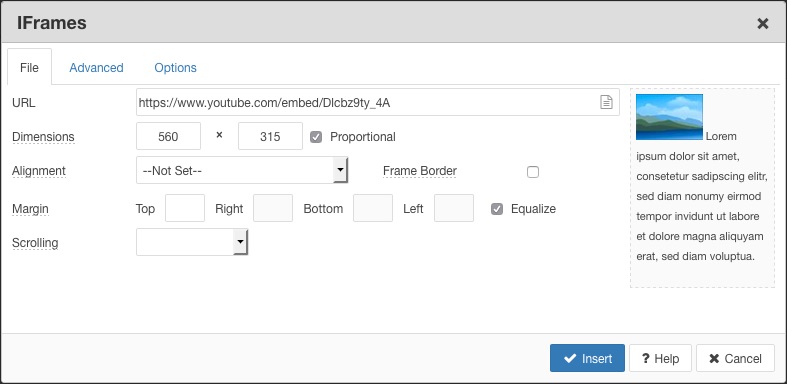
IFrame interface
The IFrames interface comprises 3 tabbed areas - File, Advanced and Options.
File
Set the most common attributes for the iframe including URL, Alignment and Dimensions. See Creating an editing iframes
The URL for a local file can be selected using the File Browser icon at the end of the URL field.
Advanced
Set advanced attributes for the iframe. See Advanced Options
Options
Set options specific to Youtube, Vimeo and Dailymotion iframes. See IFrame Options
Creating an editing iframes
Creating an iframe only requires a URL for the iframe, and the dimensions required for the iframe. The URL can be pasted into the URL field, or a file selected using the file browser icon in the URL field.
To create an iframe
- Paste the URL into the URL field or select a file using the File Browser icon
- Set the iframe dimensions.
- Adjust any other properties for the iframe, such as the Alignment or Margin.
- Click the Insert button.
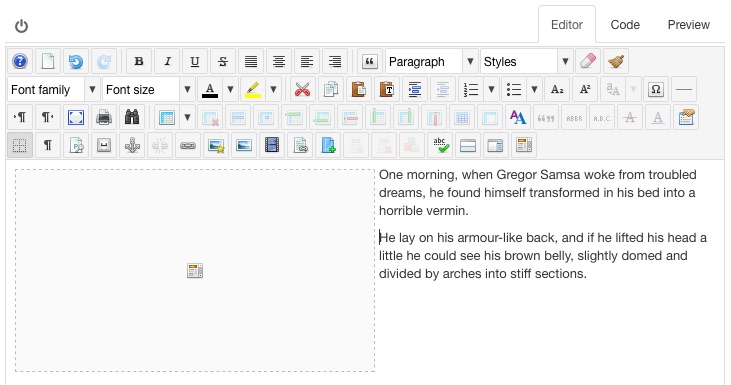
The IFrame will be inserted as placeholder and can be resized and positioned just like an image. The placeholder is converted to iframe code in the Code tab or when you save the article.
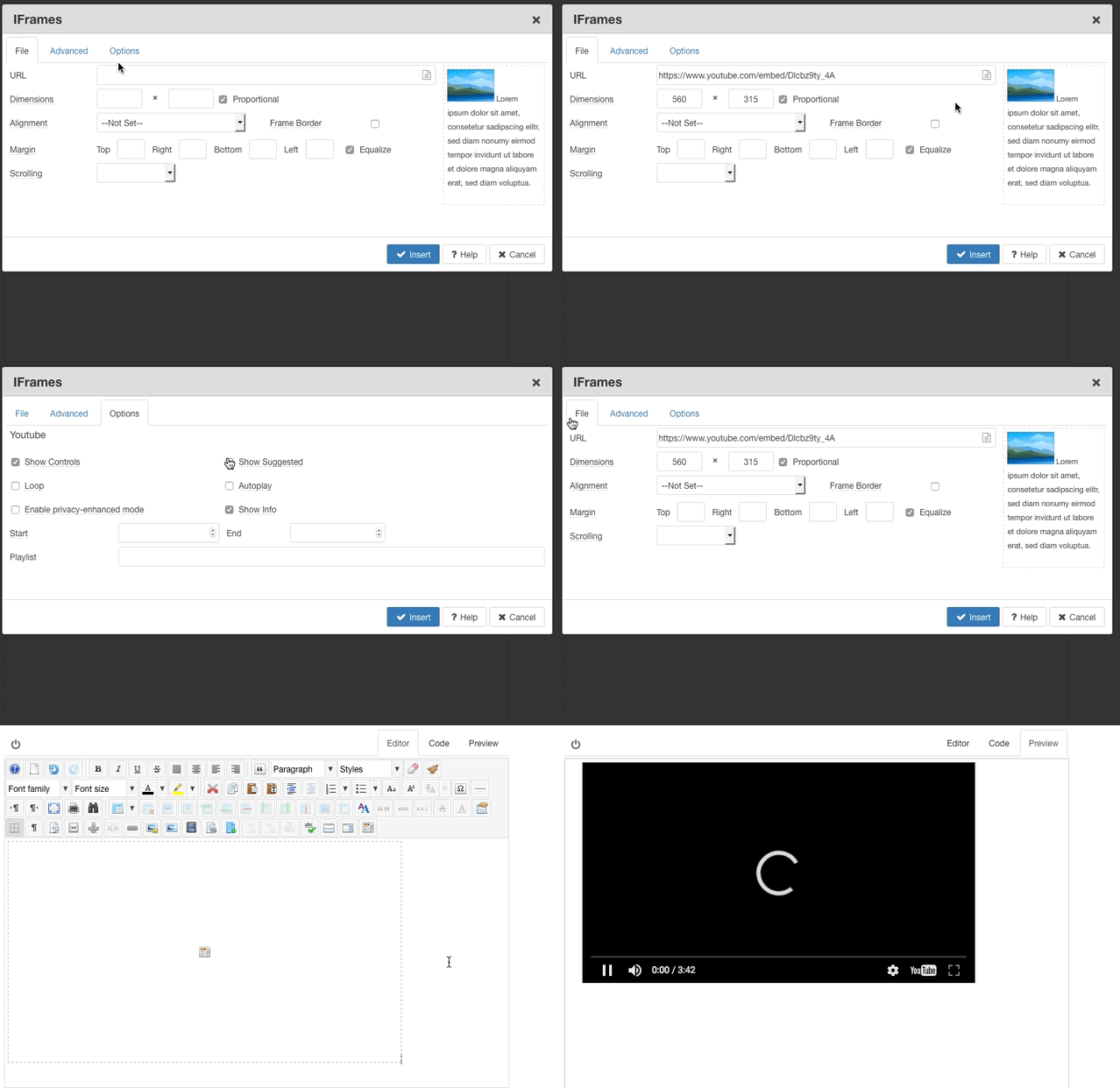
Inserting a Youtube, Vimeo or Dailmotion video
For Youtube, Vimeo and Dailymotion videos, just copy the URL for the video from the browser address bar and paste it in to IFrame URL field. The URL is automatically converted into the right format, and the default dimensions inserted. Use the Options tab to set various options for the video and click the Insert button.
Editing an iframe
Click on the iframe placeholder to select it, then click the IFrame button to open the IFrames dialog. Once the required changes have been made, click on the Update button to update the iframe and close the dialog.
The iframe placeholder can be resized, dragged and copy and pasted like an image. To drag resize an iframe, click on the iframe placeholder to select it, then drag one of the handles to resize.

Deleting an IFrame
Click on the iframe placeholder to select it, then click the Delete button on your keyboard.
Advanced Options
Various iframe attributes can be set in the Advanced tab.

Styles
A list of inline css properties to be applied to the iframe, eg: border: 1px solid red;
Classes
Select and apply css classes from your template stylesheet. Additional class names, seperated by a space, can be typed into the field.
Title
A descriptive title for the iframe. This will show as a tooltip when the mouse cursor is placed over the iframe.
Name
Set a unique name attribute value for the iframe.
Id
Set a unique id attribute value for the iframe.
Allow Transparency
Allow for transparent content support in IE browsers
Text or HTML
Optional text or HTML to include inside the iframe.
IFrame Options
The Options tab contains additional fields that can be set for Youtube, Vimeo or Dailymotion videos.
For other IFrame types, no additional options are available in this tab.
