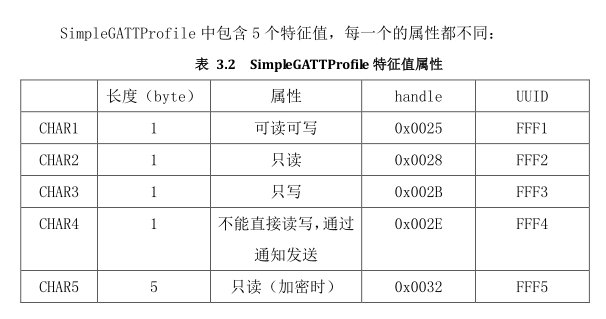
UUID,就是用来唯一识别一个特征值的ID.
handle,就是对应的attribute的一个句柄。
所有对特征值的操作,都是通过对UUID的搜索得到对应的handle之后,通过handle来操作特征值的。
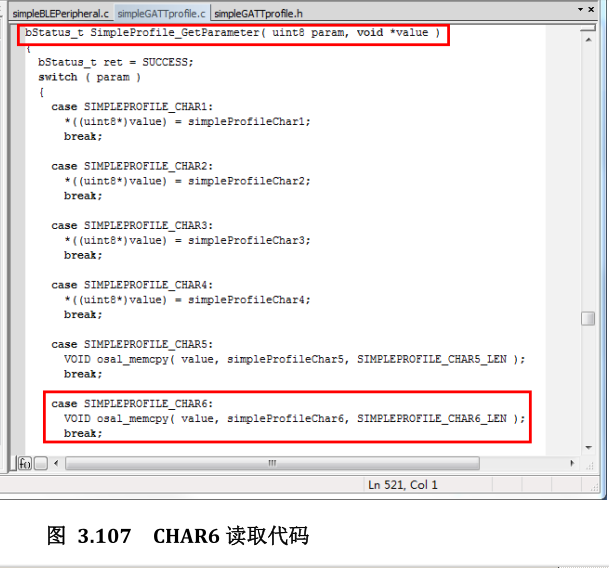
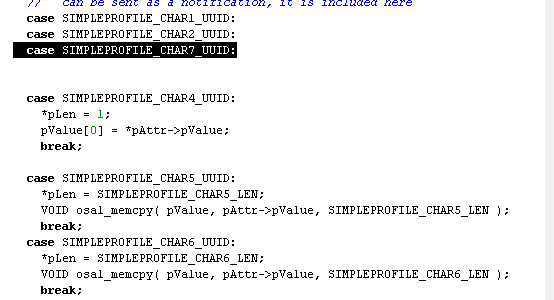
添加新的特征值CHAR6
下面对主要几个文件进行修改
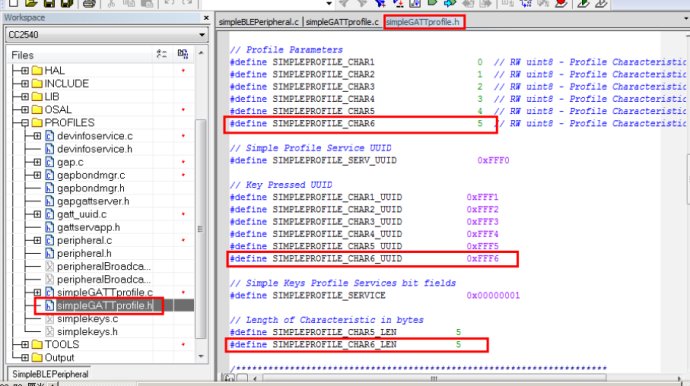
simpleGATTprofile.h文件添加以下定义
#define SIMPLEPROFILE_CHAR6 5
#define SIMPLEPROFILE_CHAR6_UUID 0xFFF6
#define SIMPLEPROFILE_CHAR6_LEN 5(单字节没这句)
SIMPLEPROFILE_CHAR6 全大写case参数用到如case SIMPLEPROFILE_CHAR6:
在simpleGATTprofile.c
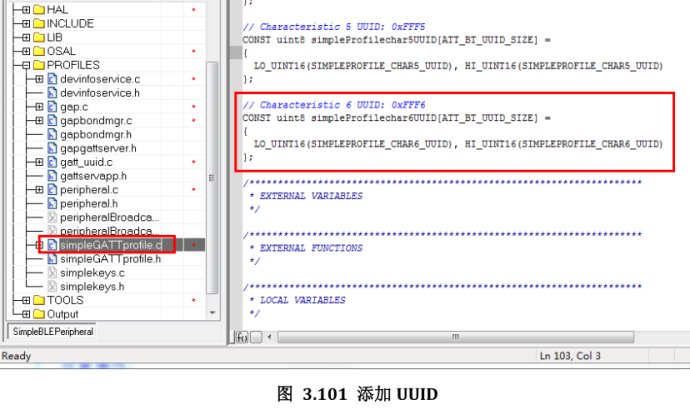
1、 添加特征值UUID
// Characteristic 6 UUID: 0xFFF6
CONST uint8 simpleProfilechar6UUID[ATT_BT_UUID_SIZE] =
{
LO_UINT16(SIMPLEPROFILE_CHAR6_UUID), //低八位
HI_UINT16(SIMPLEPROFILE_CHAR6_UUID) }; //高八位
/**************#define HI_UINT16(a) (((a) >> 8) & 0xFF)*******
/**************#define LO_UINT16(a) ((a) & 0xFF)*******
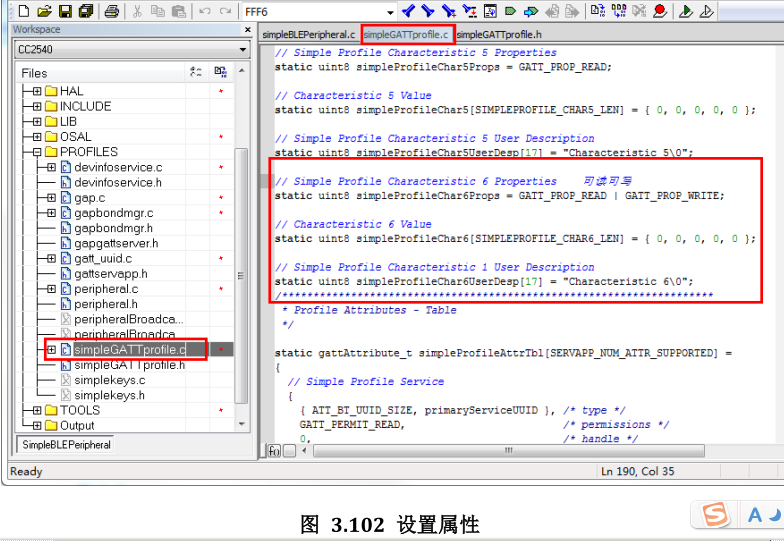
2、 设置属性
// Simple Profile Characteristic 6 Properties 可读可写(声明而已,只是能让lightblue在列表中显示为可读可写或通知,真正要改在属性表那里改。Props= Properties,Desp=Description,)
static uint8 simpleProfileChar6Props = GATT_PROP_READ | GATT_PROP_WRITE;
// Characteristic 6 Value // simpleProfileChar6是个5位数组,接收数据后存在这
static uint8simpleProfileChar6[SIMPLEPROFILE_CHAR6_LEN] = { 0, 0, 0, 0, 0 };
// Simple Profile Characteristic 6 User Description
static uint8 simpleProfileChar6UserDesp[17] = "Characteristic 6\0";
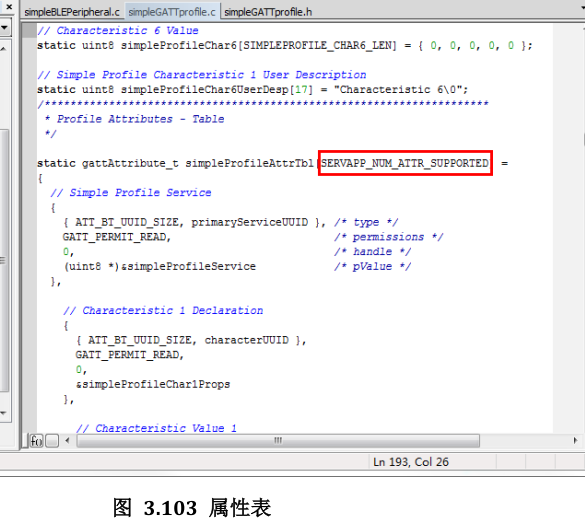
3、 属性表 (Profile Attributes - Table)最重要,添加了这个才会在lightblue中列表出来
static gattAttribute_t simpleProfileAttrTbl[SERVAPP_NUM_ATTR_SUPPORTED]
这里要把数组改为
#define SERVAPP_NUM_ATTR_SUPPORTED 20 原来是17
(//添加了3组结构体数组CHAR6)
simpleProfileAttrTbl表中,可读可写属性都是3个数组,只有char4的通知是4组,多了个// Characteristic 4 configuration
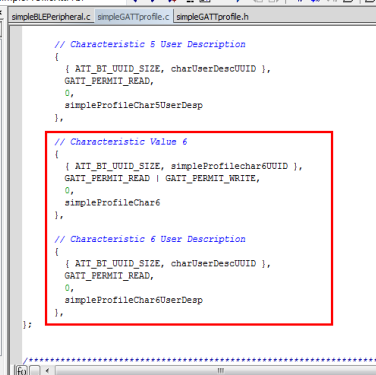
并把CHAR6添加进去
// Characteristic 6 Declaration (声明,没加这个lightblue属性表找不到)
{
{ ATT_BT_UUID_SIZE, characterUUID },
GATT_PERMIT_READ,
0,
&simpleProfileChar6Props
},
// Characteristic Value 6 (特征值)!!!...